Guide to applying
Have these ready
- Your National ID number and an email address where we will send your application reference number and verification code.
- Scanned copies of your certified certificates. PDF, JPEG or PNG, up to 5 MB each.
- The application fee, paid online by card, mobile money (EcoCash, InnBucks or O'mari) or internet banking.
Step by step
The screenshots show a sample application. Your own details, reference and closing date will be different.
1Start your application
On the apply page, tap Apply now. Enter your name, National ID and email address, then tap Start application.
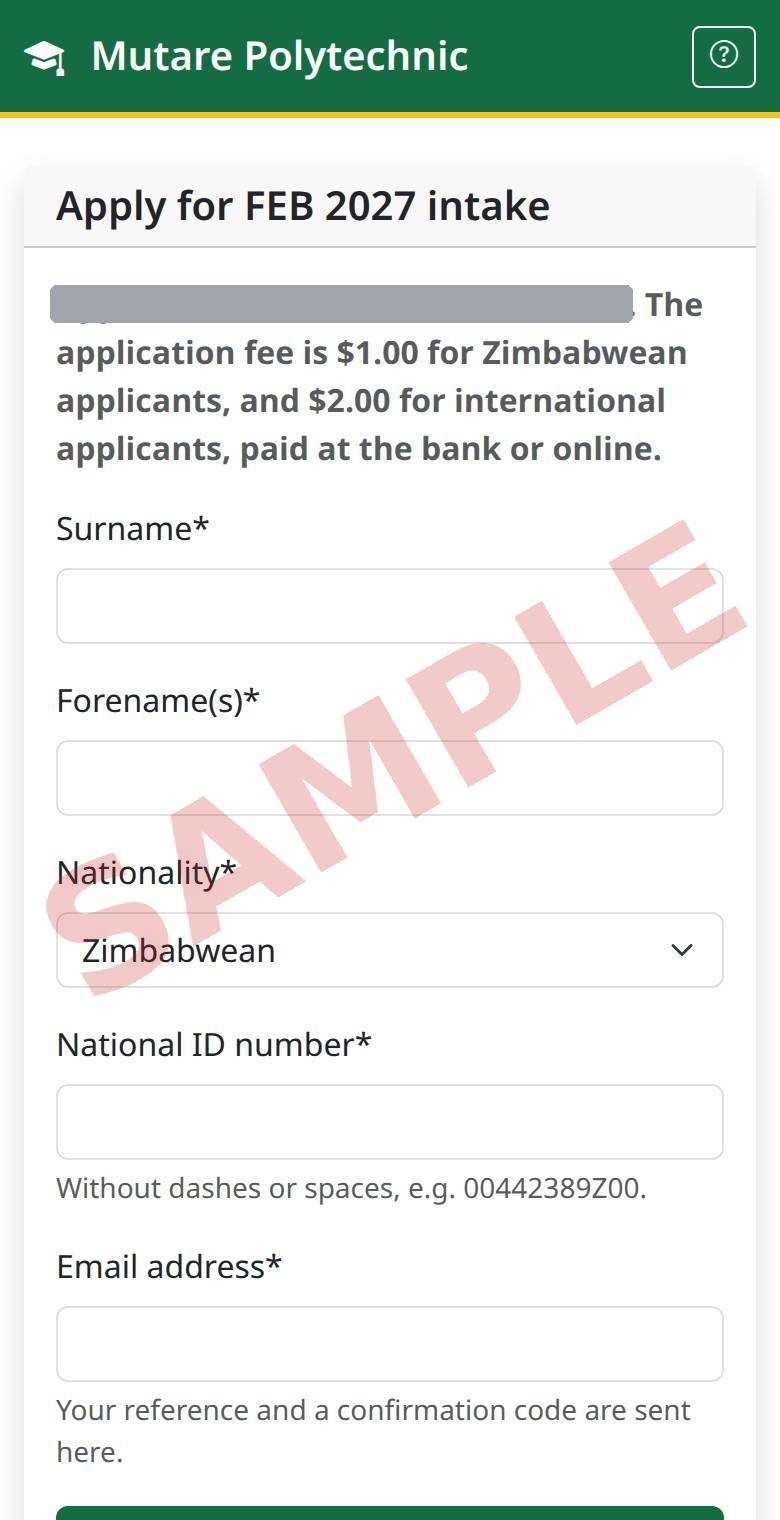
2Confirm your email
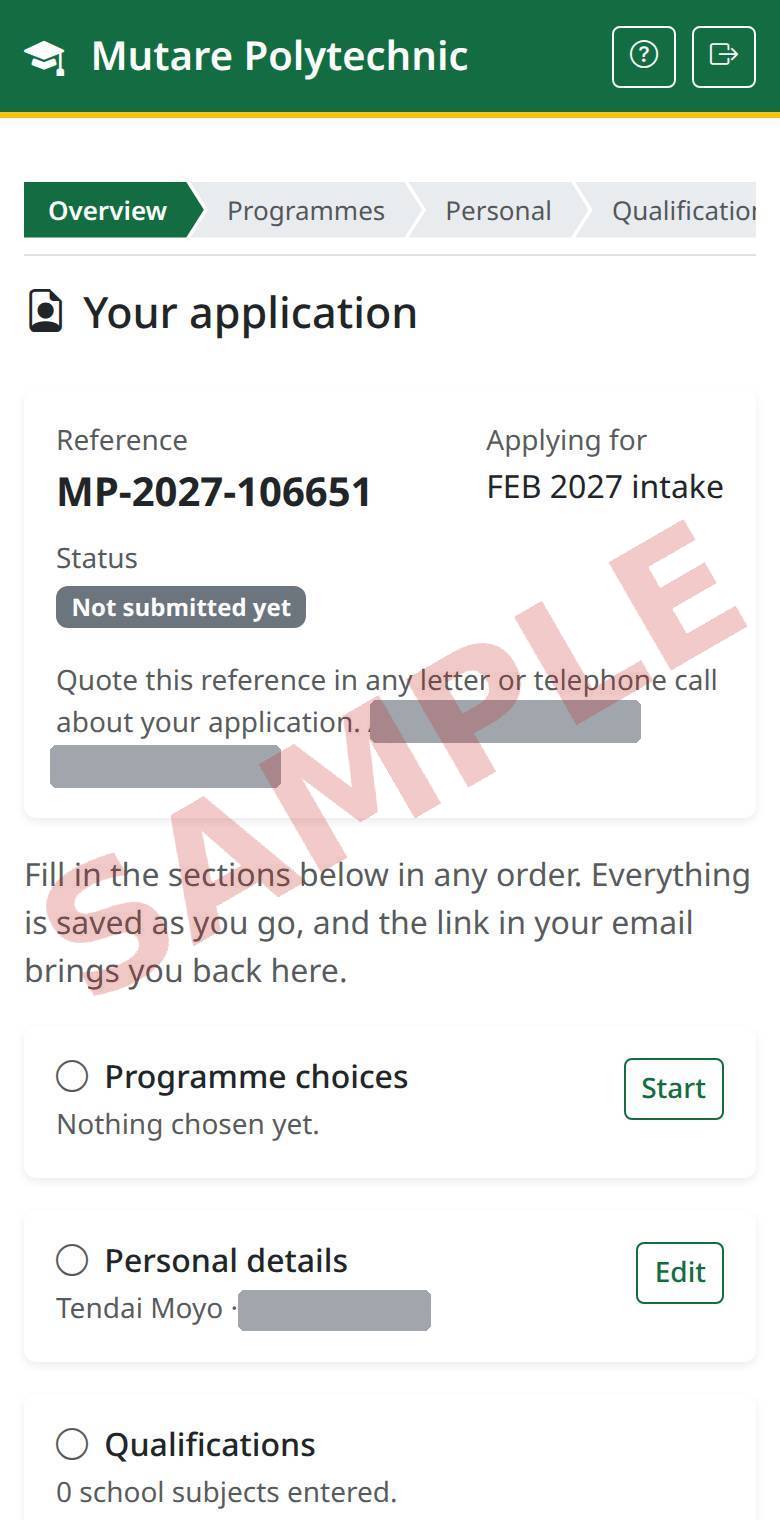
We email you a reference number and a code. Enter the code to open your application. Keep the email: the reference is how you track your application.
3Fill in each section
Your application page lists every section. Fill them in any order, and save each one. A tick shows which are done.
4Level and mode of study
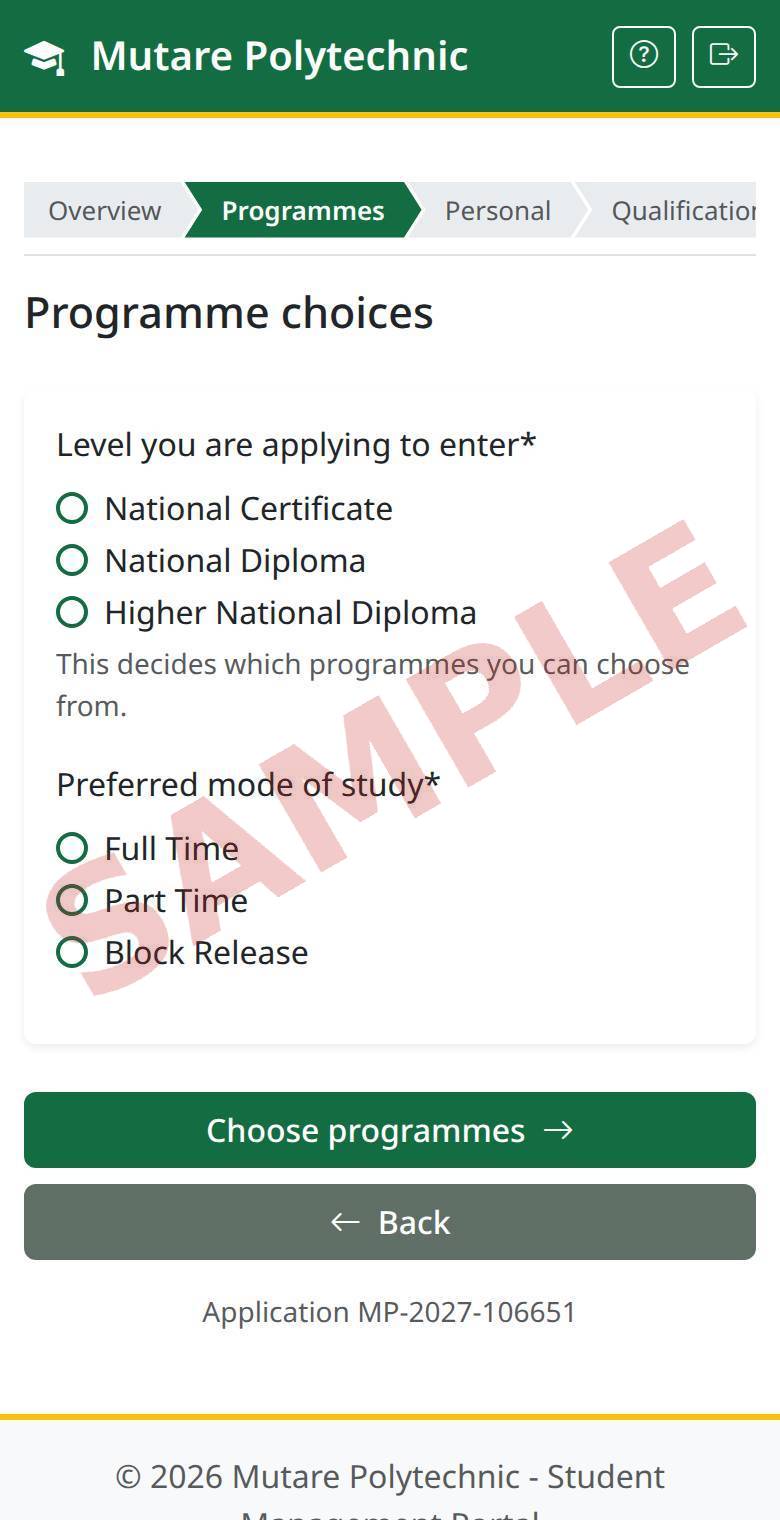
Pick the level you are applying to enter and how you want to study, then tap Choose programmes.
5Choose your programmes
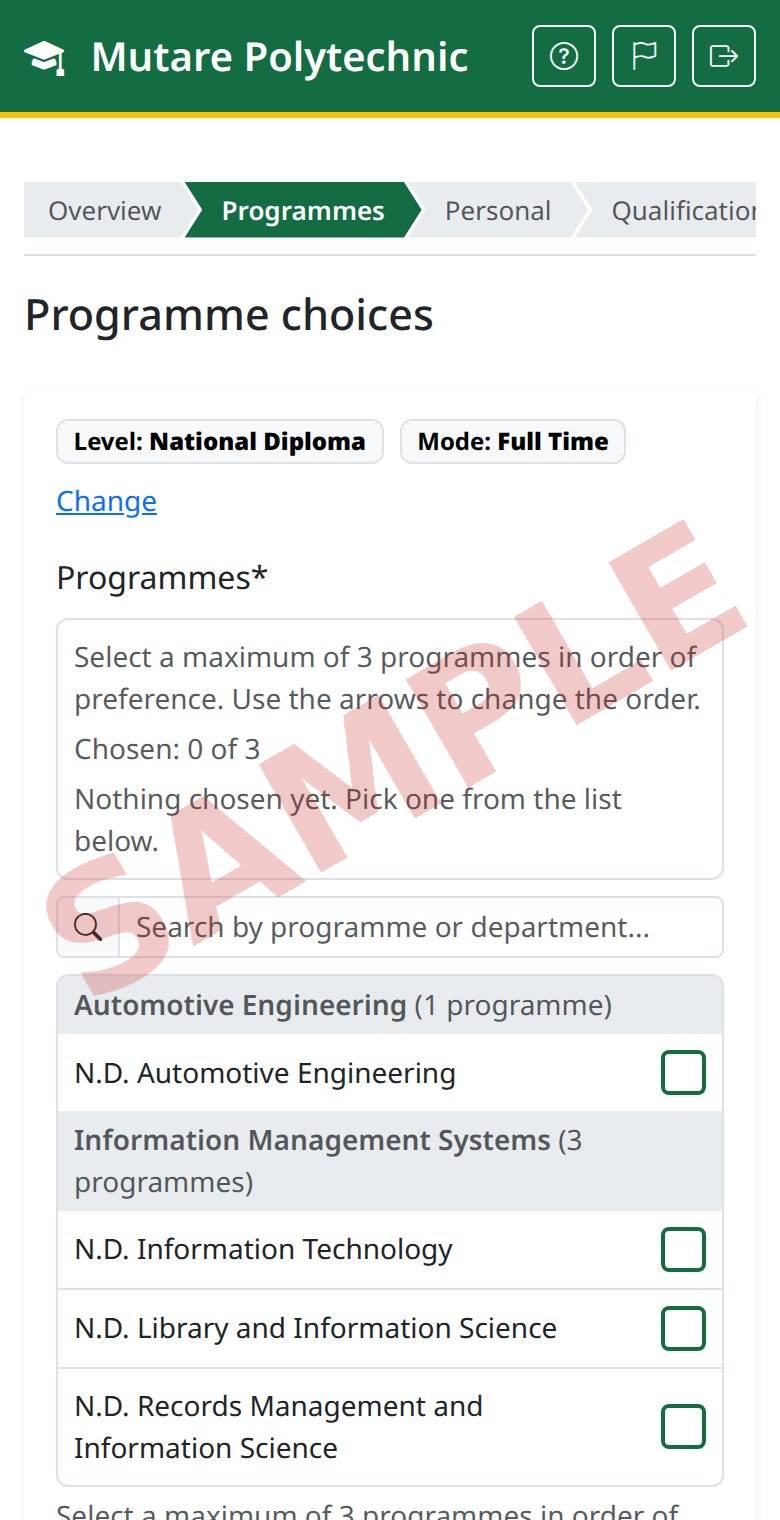
Tick up to three programmes, best first. Use the arrows to change the order, then tap Save.
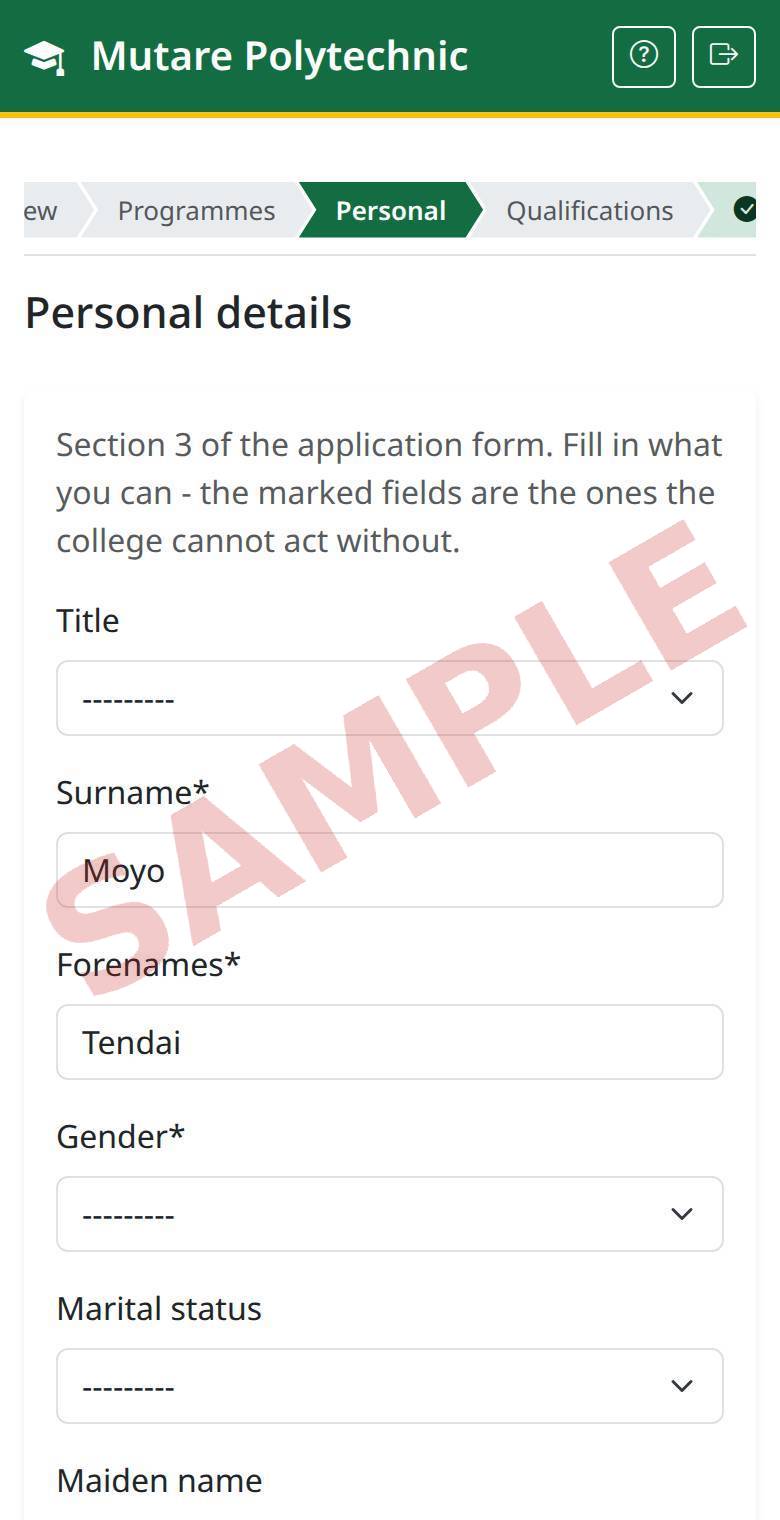
6Personal details
Who you are, where you live and who to contact. Fields marked * are required.
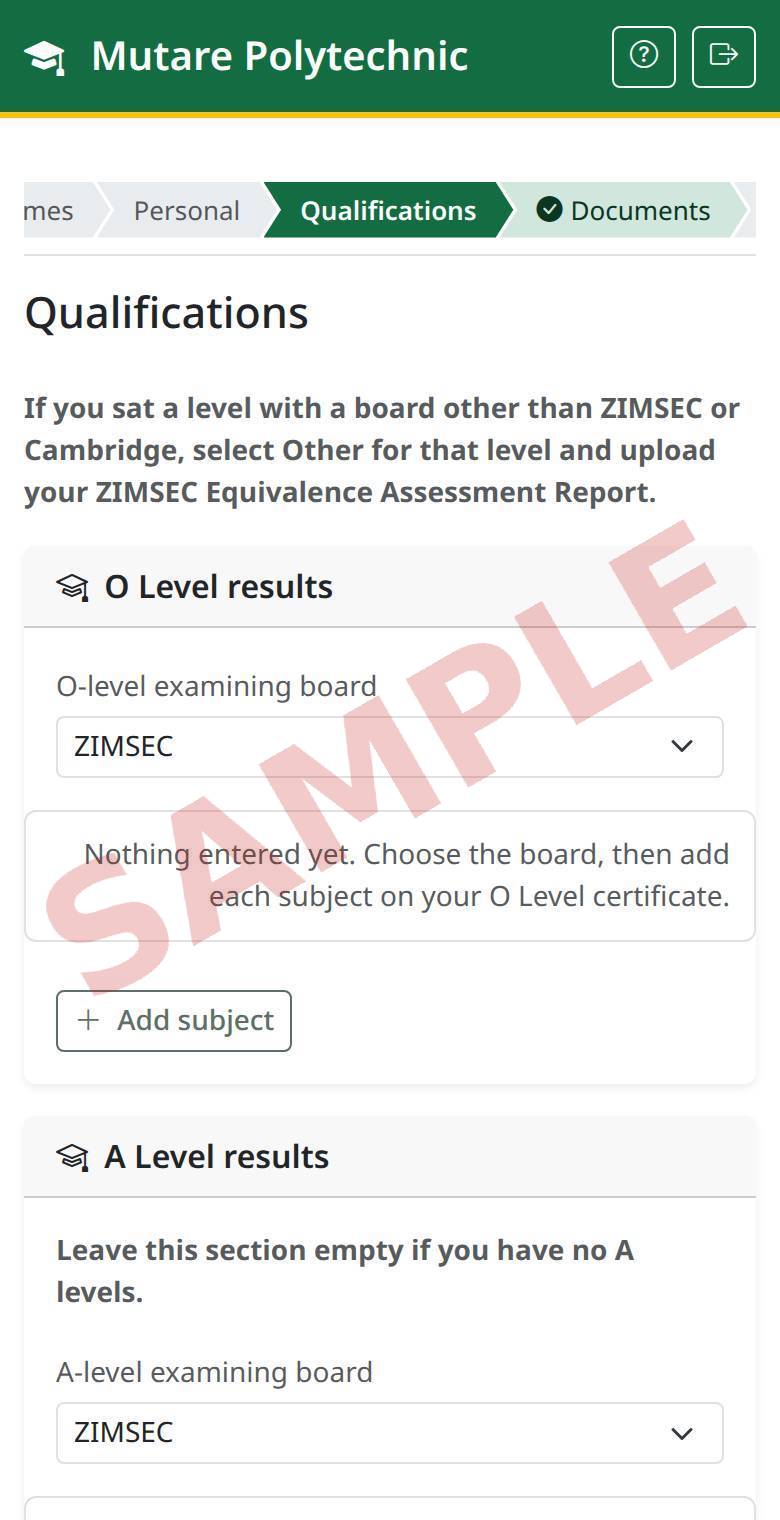
7Qualifications
Add a minimum of 5 O level passes with grade C or better which are relevant to your selected/desired programme choice(s) along with any other certificates or diplomas you may already hold.
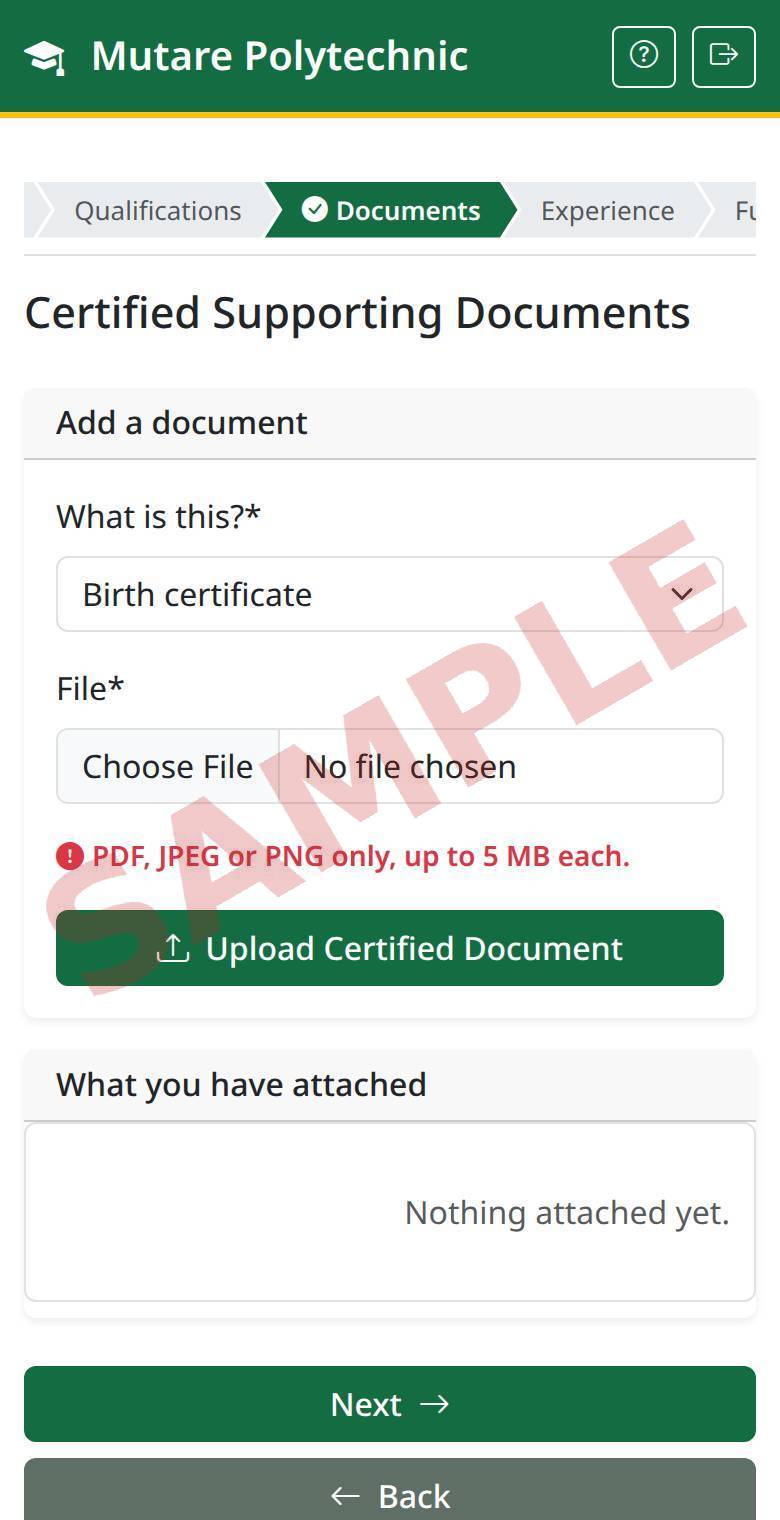
8Certified supporting documents
Choose what the document is, pick the file, then tap Upload Certified Document. Repeat for each one. Tap Next when you are done.
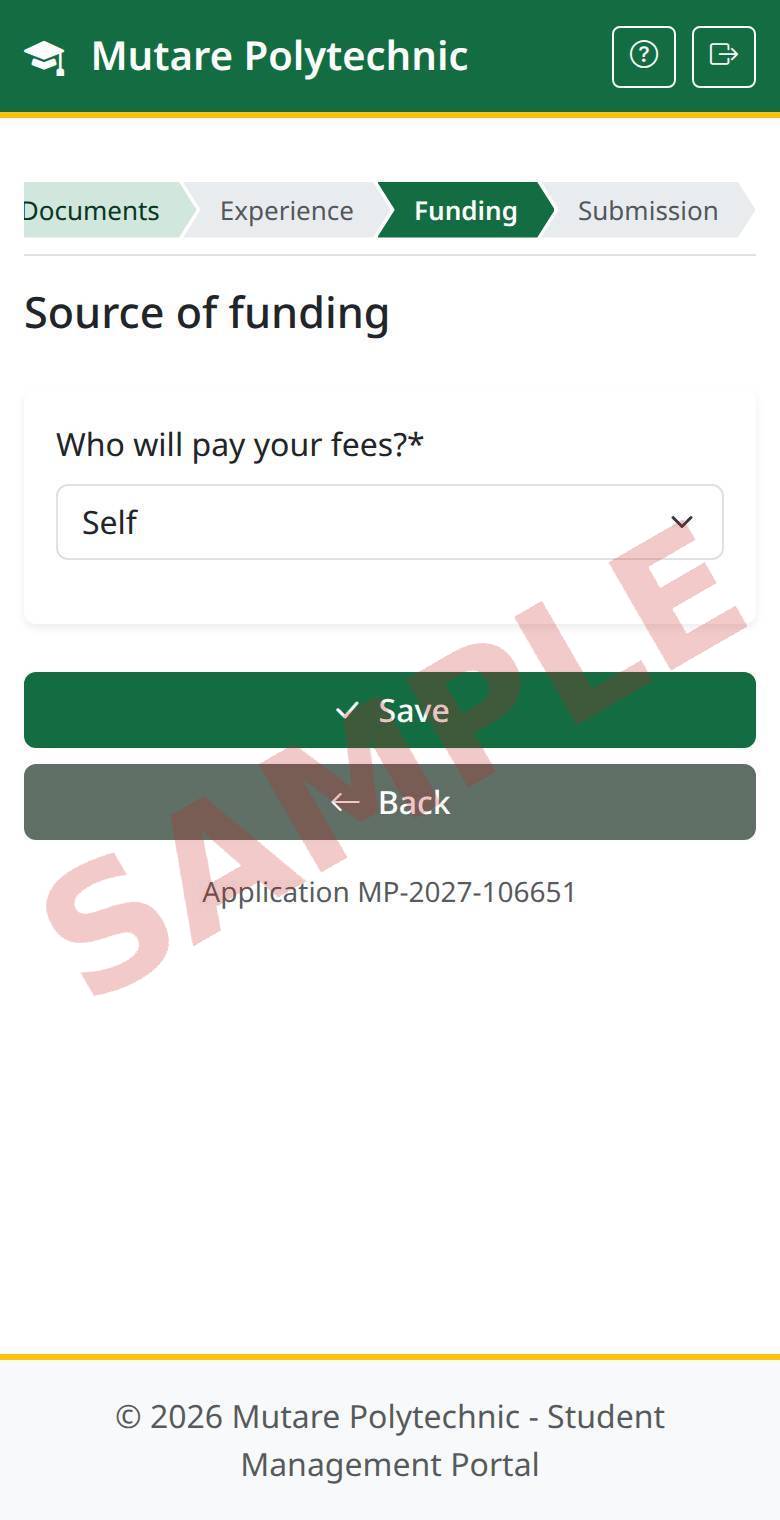
9Source of funding
Say who will pay your fees.
10Check and declare
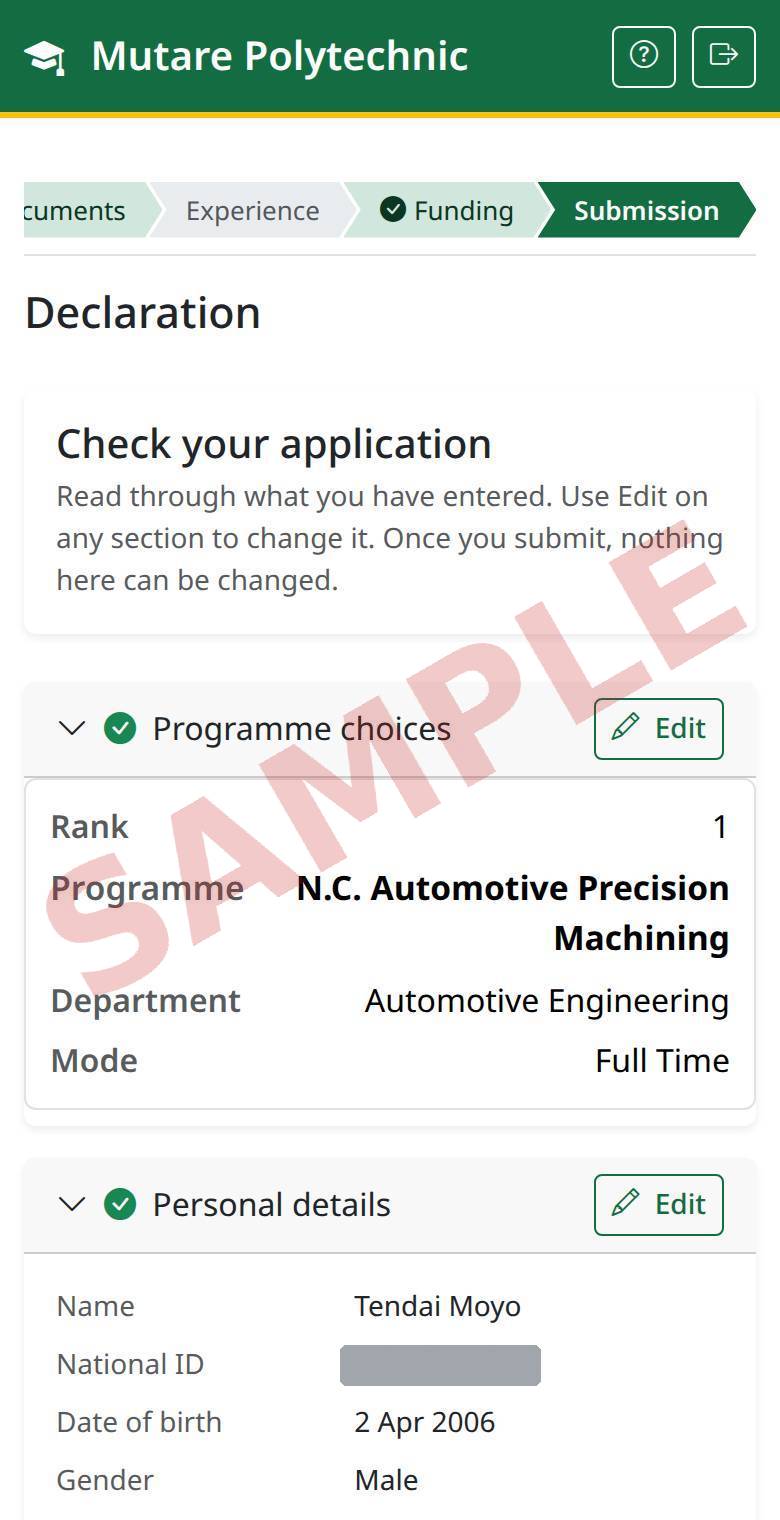
Read through your answers, accept the declaration and tap Declare and continue to payment. Nothing can be changed once you have paid.
11Pay the application fee
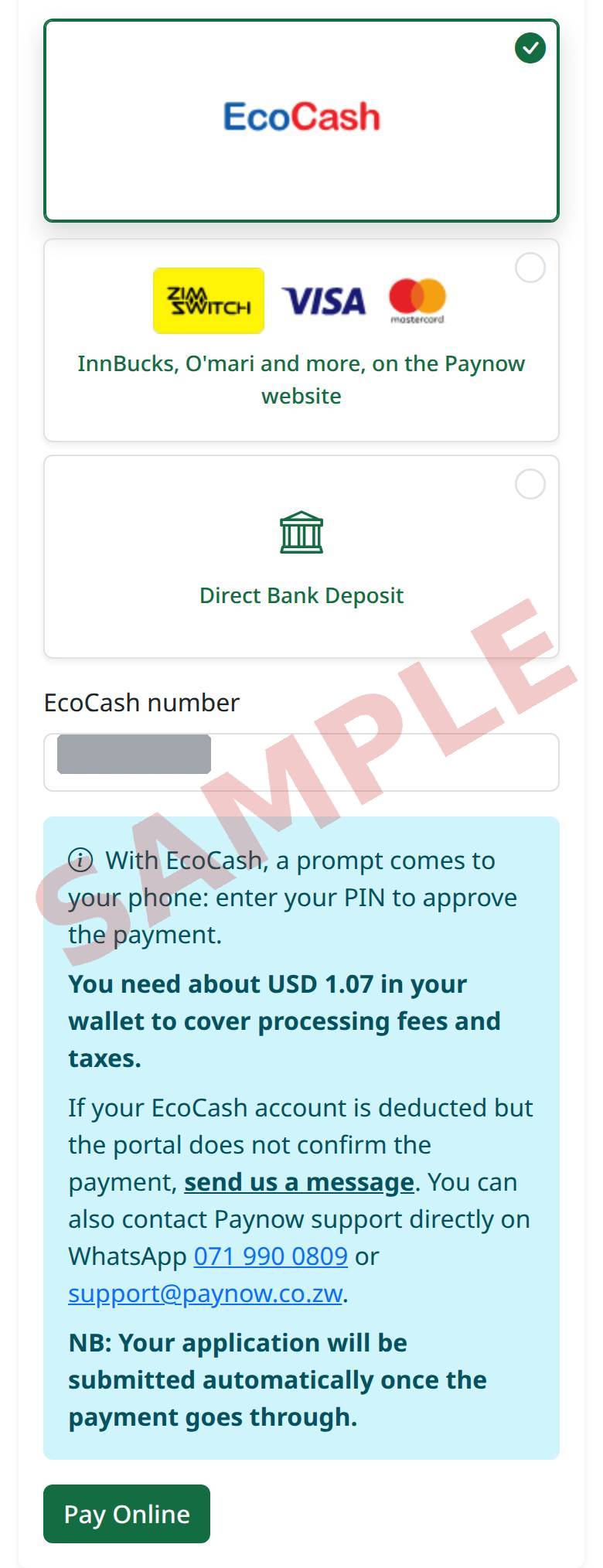
Choose how to pay: EcoCash, the Paynow website (cards, InnBucks, O'mari and more) or Direct Bank Deposit. For EcoCash, check your number, tap Pay Online and enter your PIN on the prompt that comes to your phone. Read the blue notice first: it says how much to have in your wallet, and who to contact if your EcoCash account is deducted but the portal does not confirm the payment.
12If an EcoCash payment does not go through
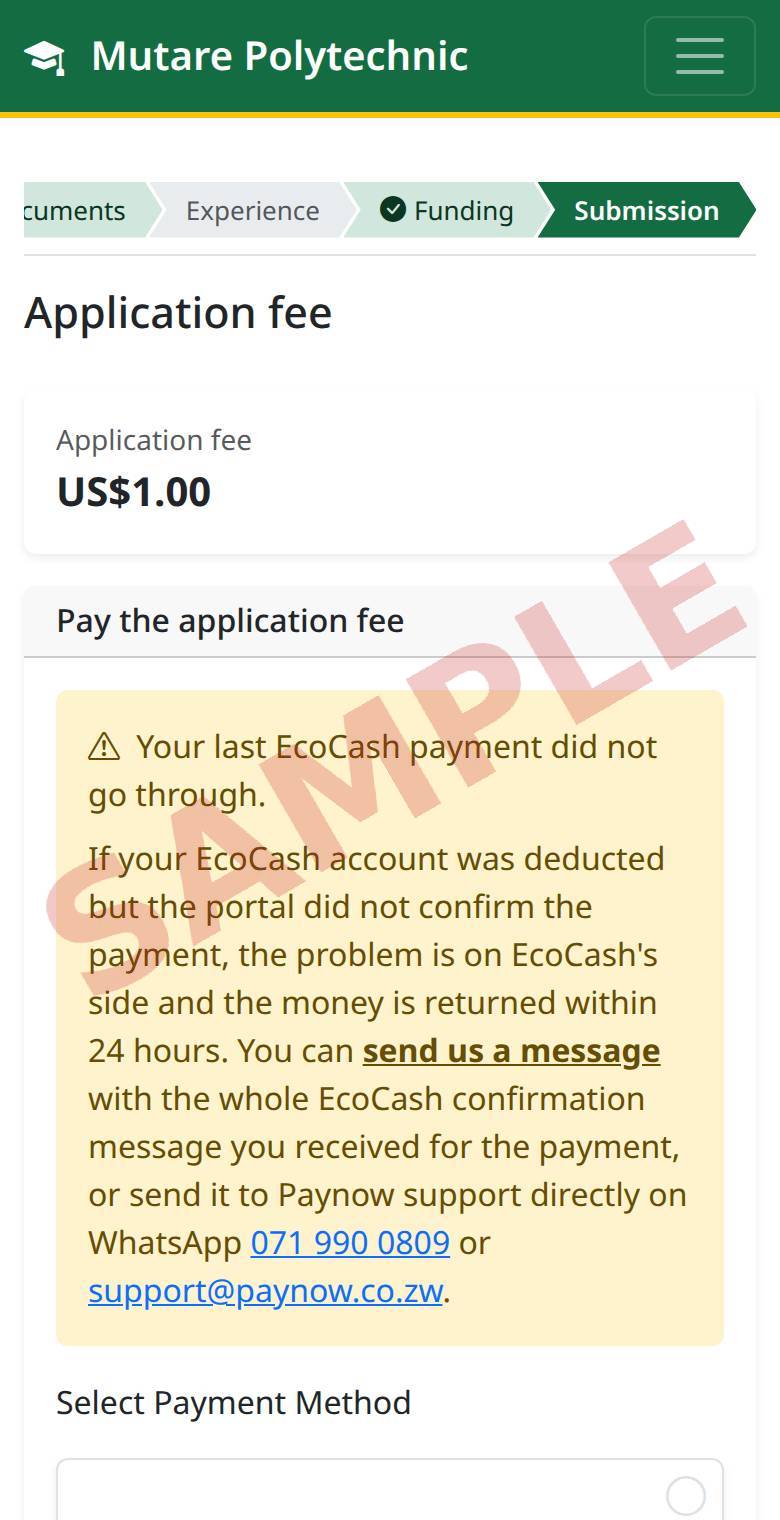
The payment page tells you. If your EcoCash account was deducted, the money is returned within 24 hours. Send us a message with the whole EcoCash confirmation message, or send it to Paynow support.
13Paynow: sign in, if asked
If you chose the Paynow website: most people go straight to the next step. If you already have a Paynow account with your email address, Paynow asks you to sign in: enter your Paynow password.
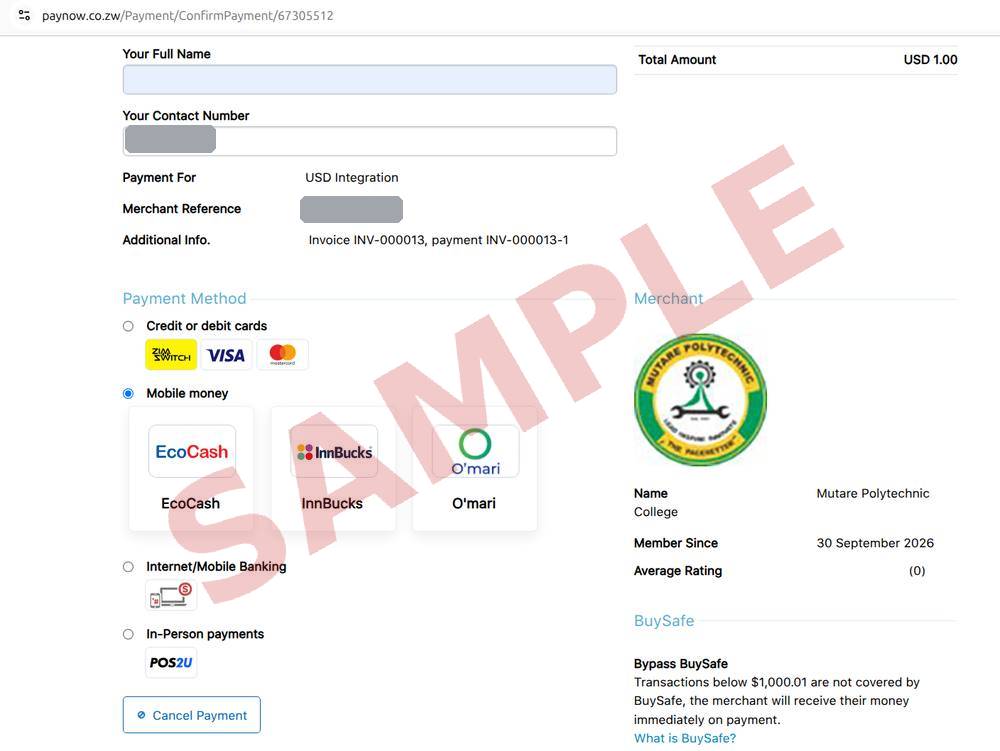
14Paynow: your details
Your full name and phone number are filled in for you. Check them, and correct them if needed.
15Paynow: how to pay
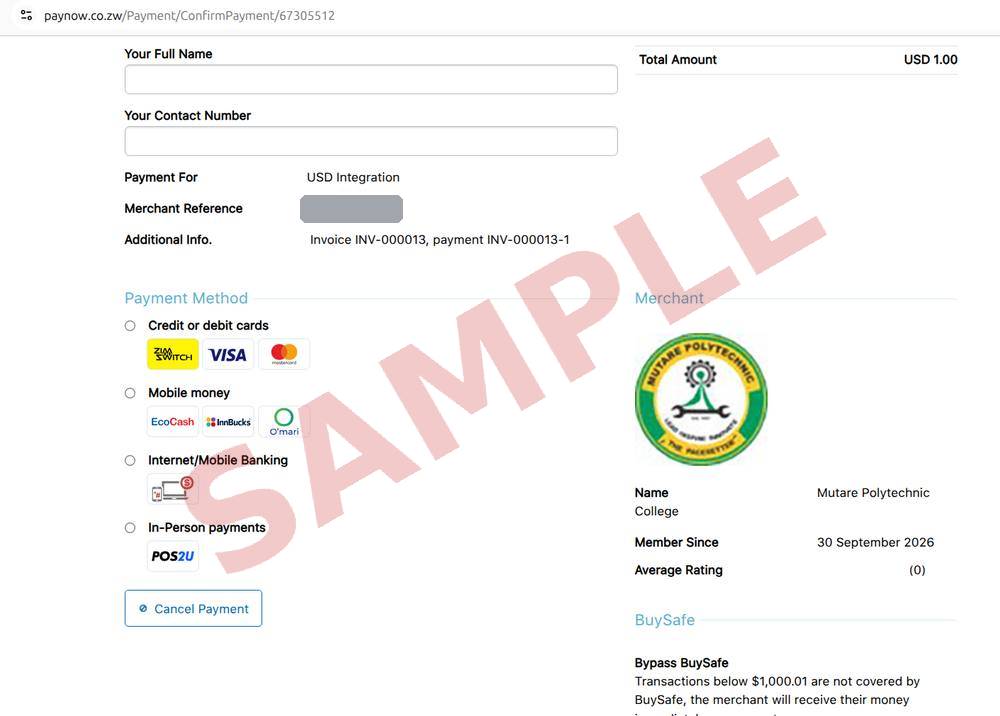
Choose a payment method: a card, mobile money (EcoCash, InnBucks or O'mari), or internet banking.
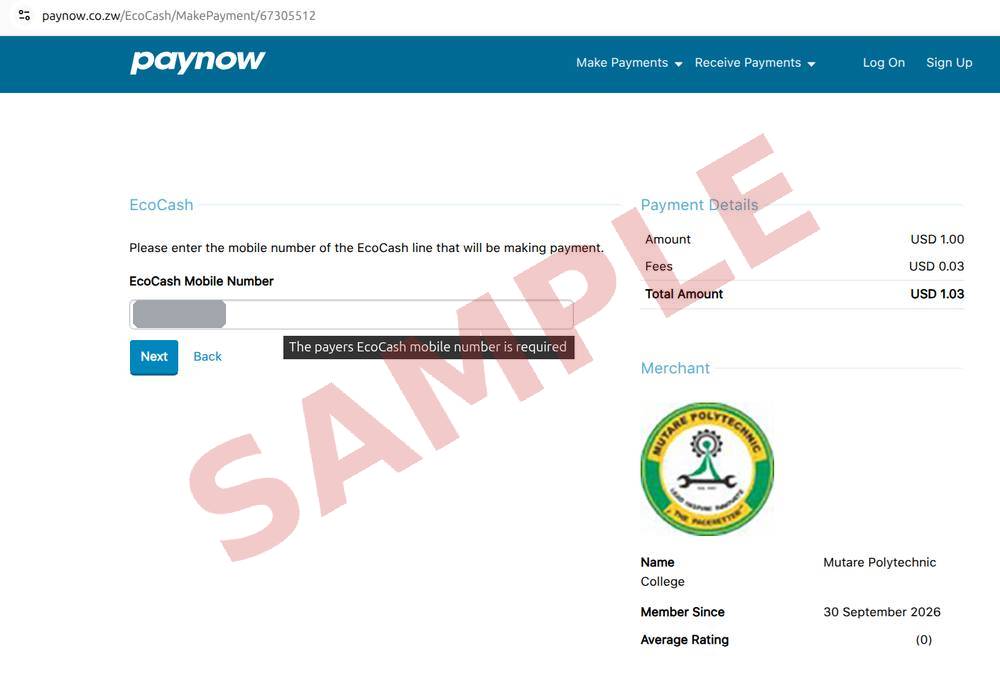
16Paynow: confirm
For mobile money, enter the number that will pay and tap Next, then approve the payment on your phone. Paynow adds a small fee. Once the payment goes through you are brought back here and your application is submitted.
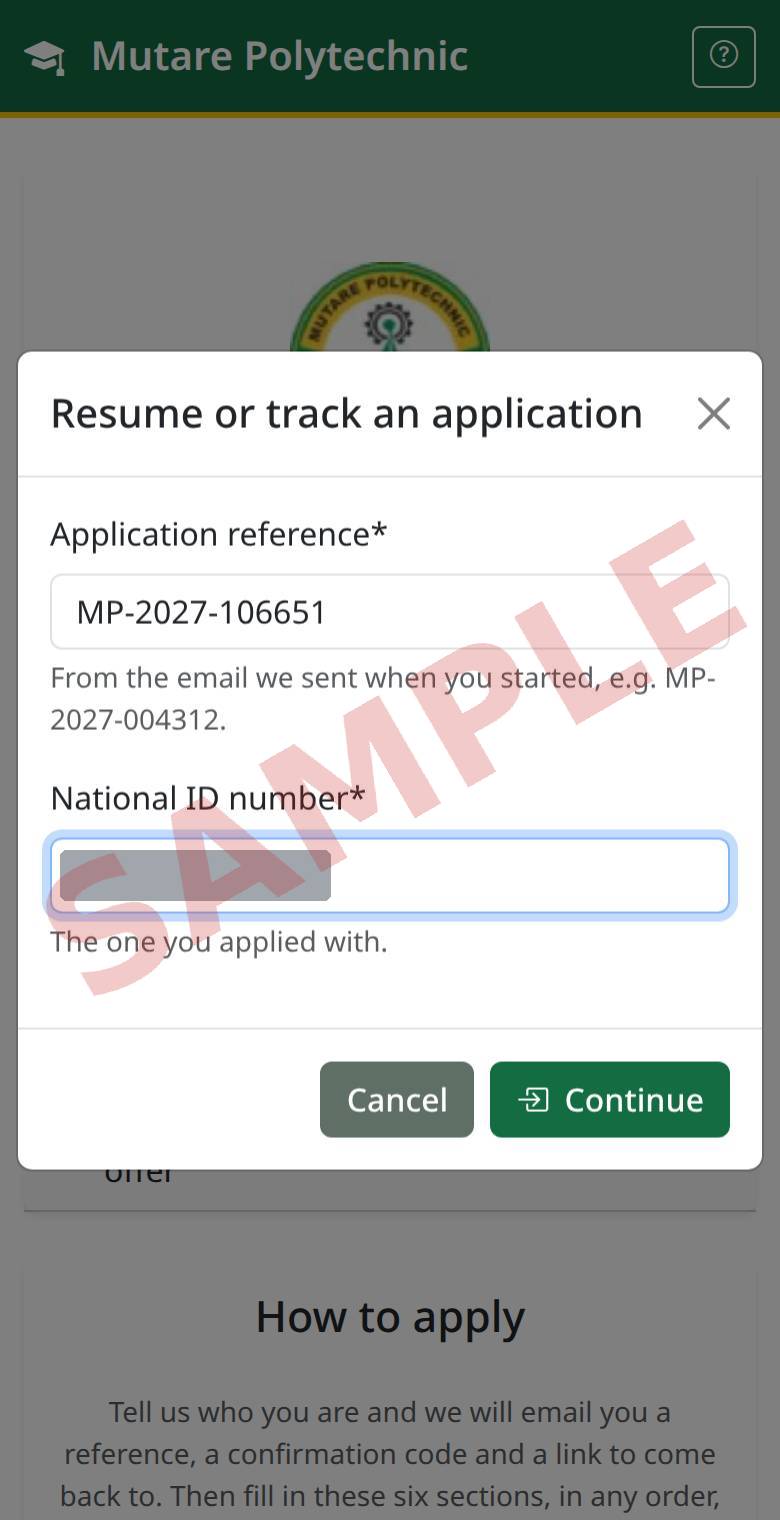
17Come back later
On the apply page, tap Resume / track application and enter your reference and National ID. This is also how you see the outcome.
Have a question? See the frequently asked questions.